
01
Organization
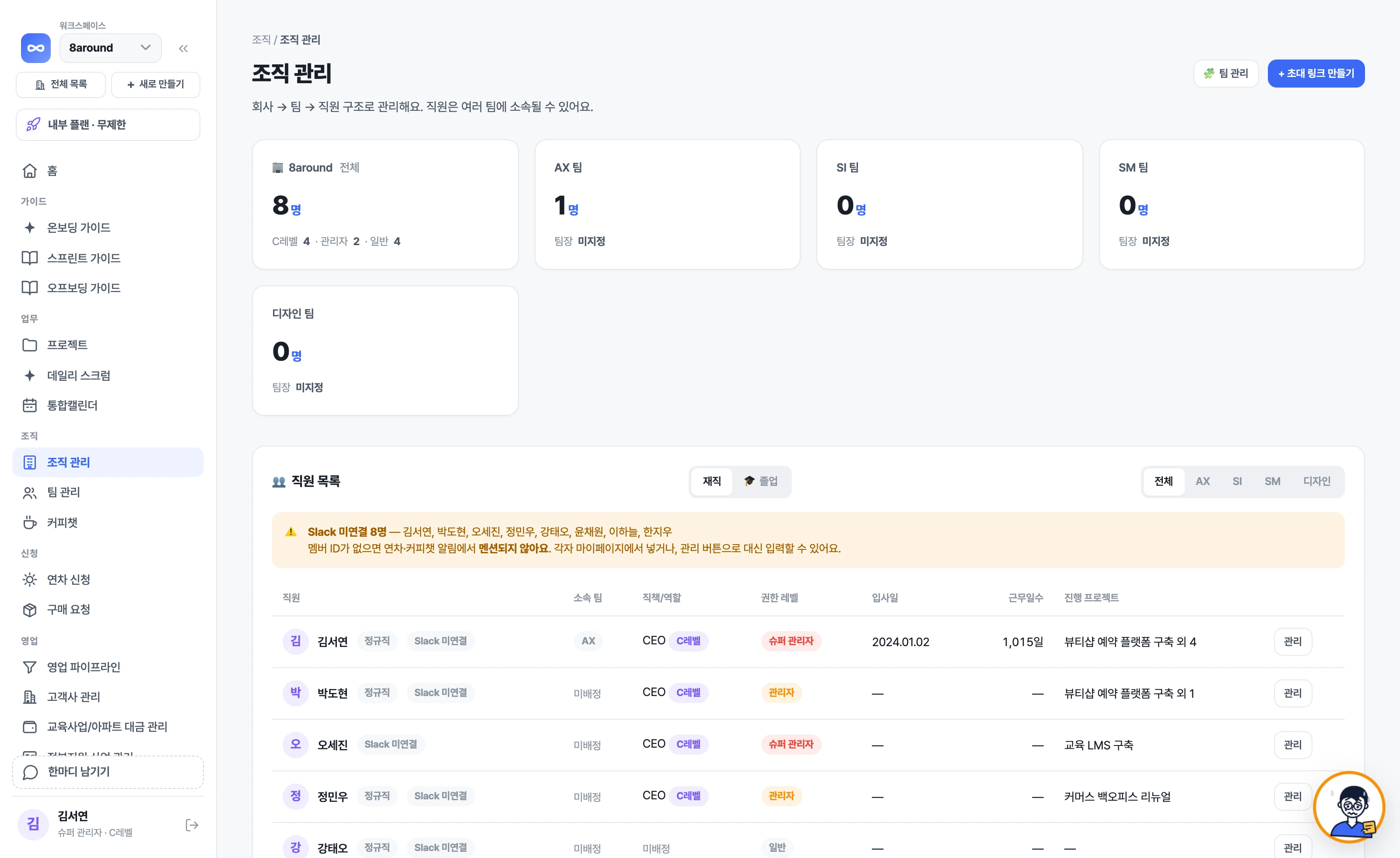
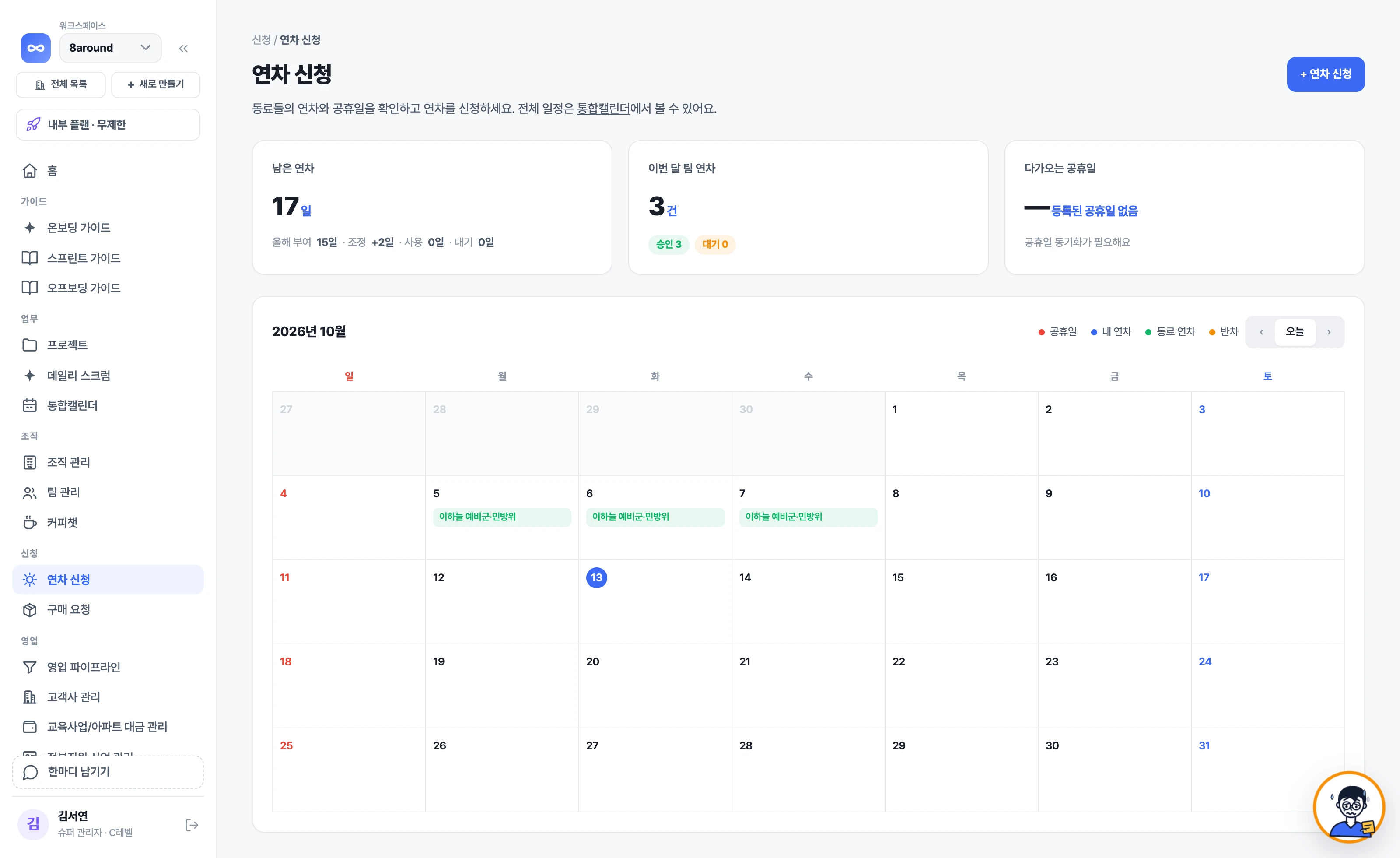
Manage the company › team › employee hierarchy and job titles. Adjust each employee's annual leave here too.
Is this project on track? Who's keeping an eye on it?
From the day a project starts to the day it ends, Loopy the AI guides you and keeps things on track. What to look at in the morning, daily reports at the end of the day, a way through when you're stuck, and your revenue goal at month-end. It works because projects, sales and revenue live on one platform.
End to End
From the day a project opens to the day it closes, Loopy tells everyone first what they need to do. It explains so no one stalls for not knowing, and follows up so nothing slips because it's a hassle.
Create a project and the task list, weekly plan and schedule are already set up. Loopy proposes this week's goals, and once you approve, they're applied as is. It's fine if you don't know where to start.
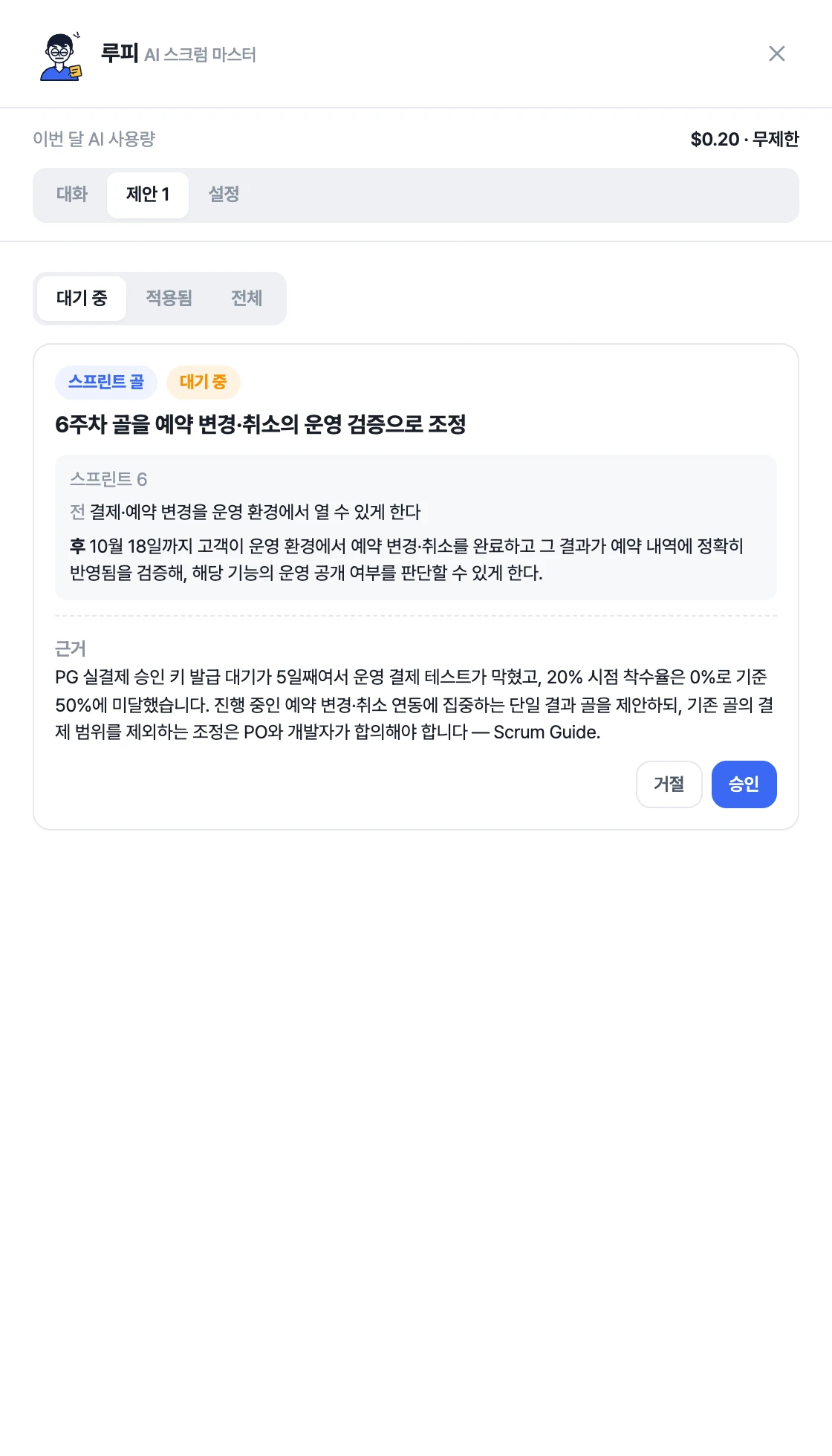
How about these goals for this week? Approve and I'll apply them.
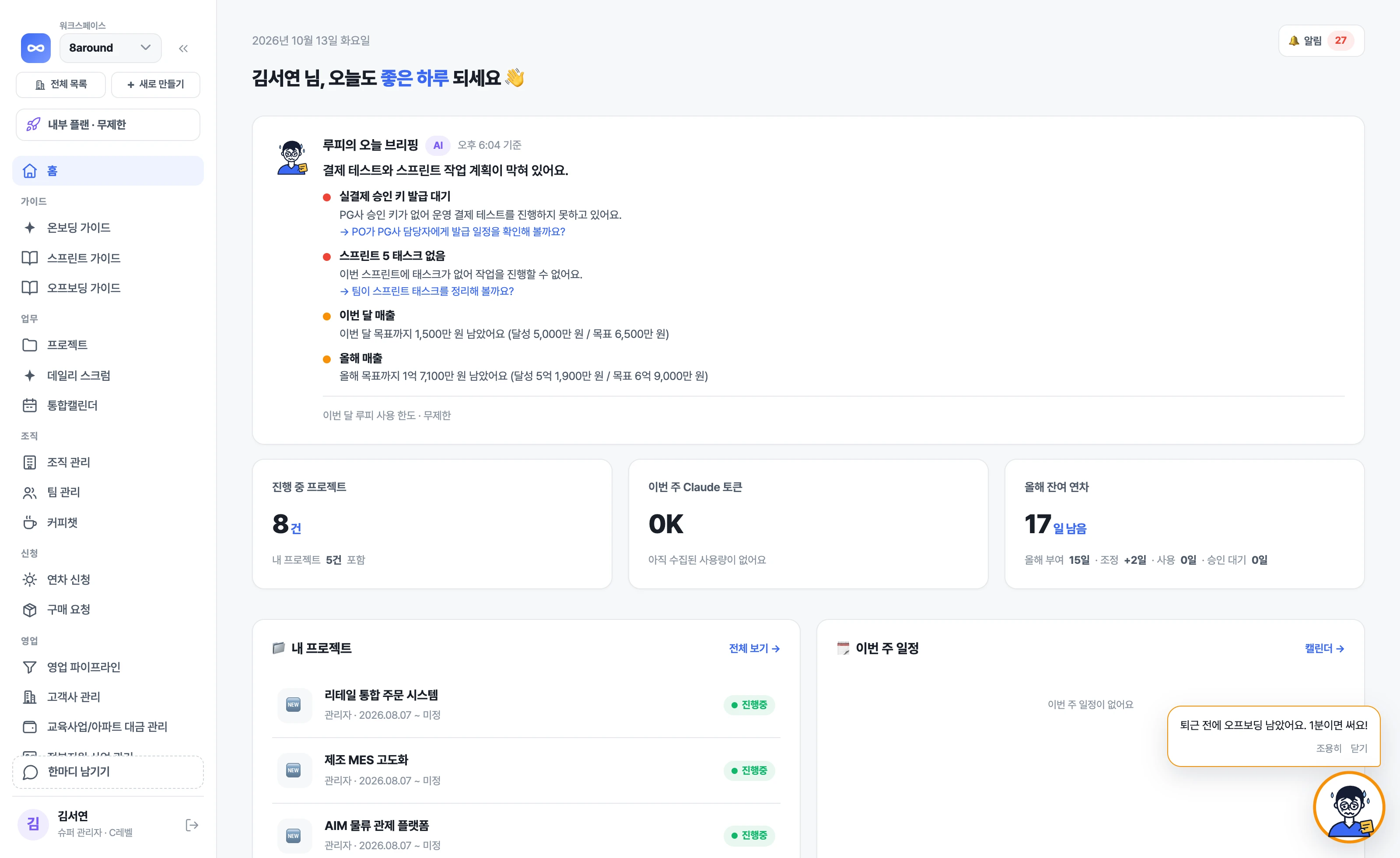
Open it when you get in and Loopy's briefing is waiting. It picks out this week's empty plans, work that's been stuck for days, and projects that are slow with a deadline approaching, and lets the owners know.

Payment testing has stalled, and this week's plan is blocked too.
It reaches out first to anyone who hasn't written today's daily report. If the same problem shows up three days in a row, it calls it out, and on daily reports that mention blocked work it leaves a comment on how to move forward.
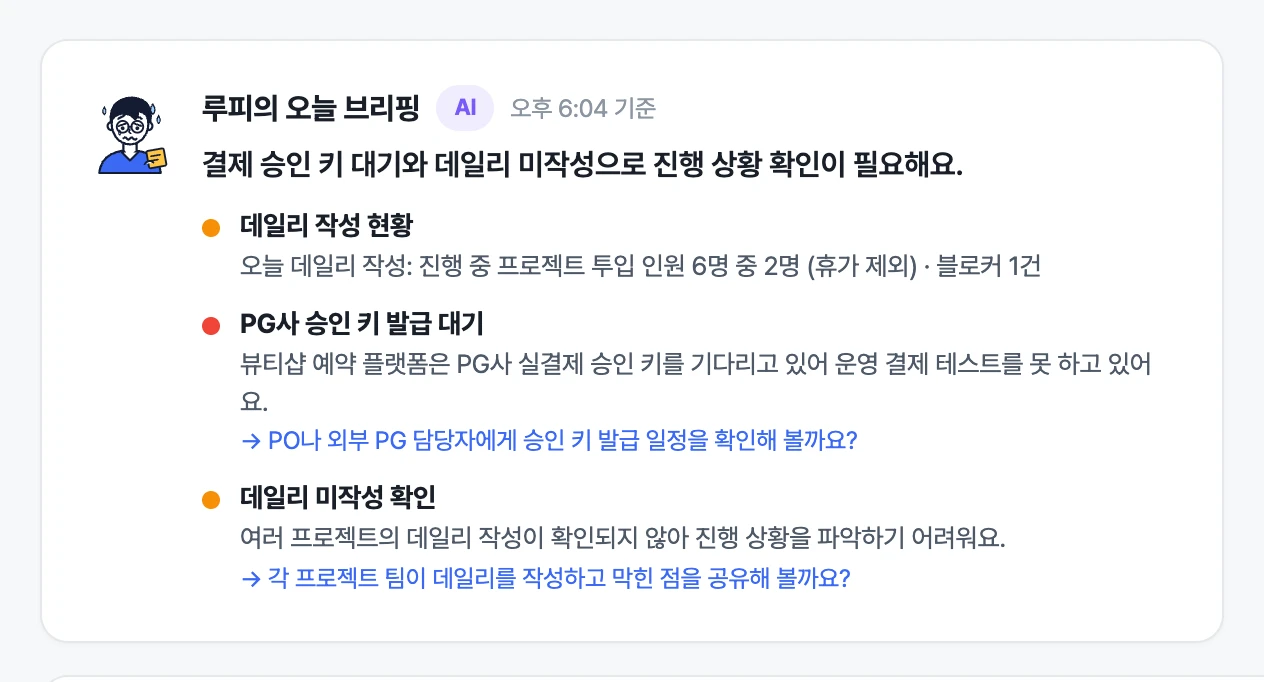
You haven't written today's daily report yet. It takes a minute!
Tap Loopy on the project screen and just ask. It reads tasks, schedules, meeting notes and daily reports, then answers with what it based its judgment on and what to do now.
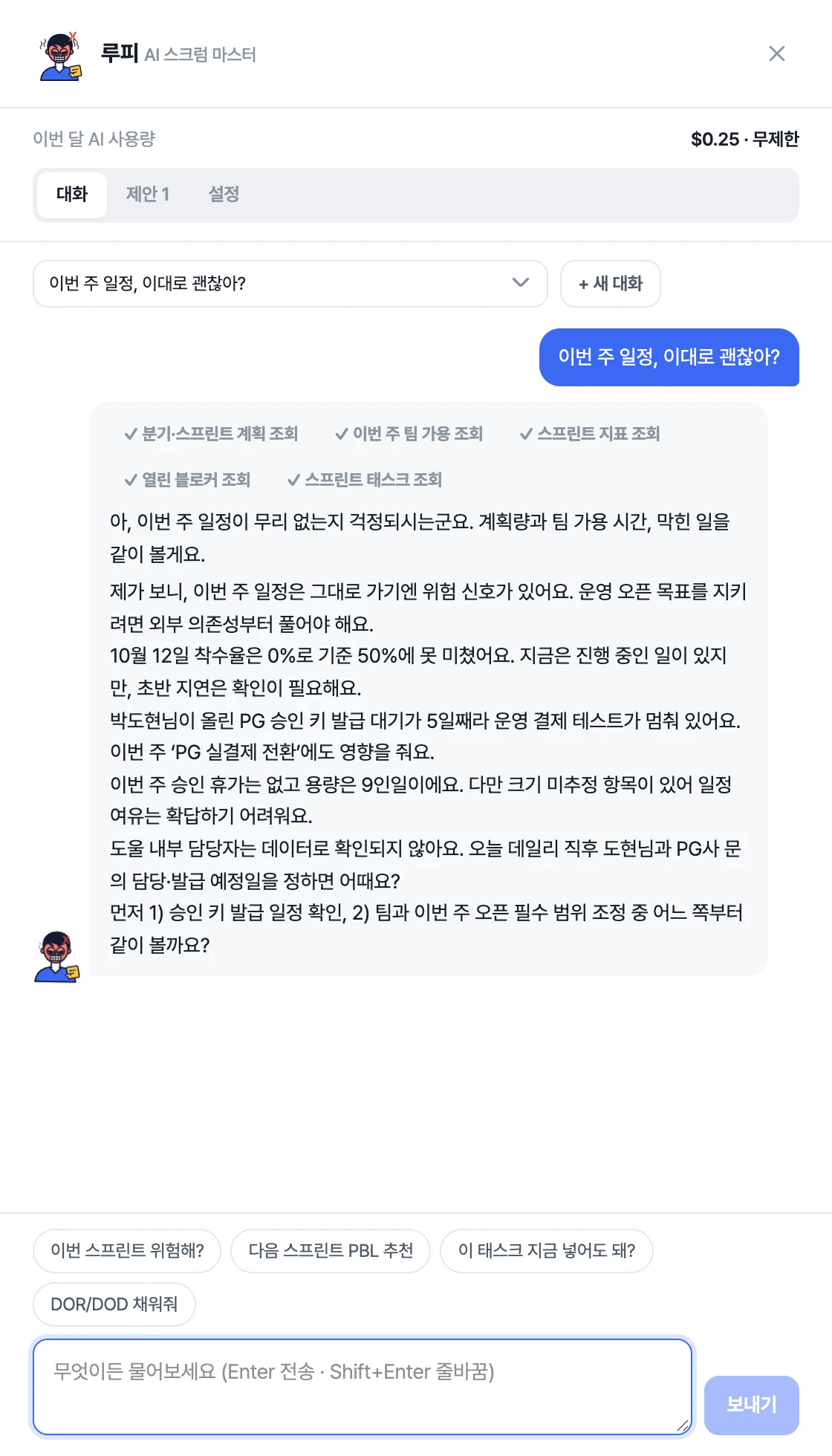
Is this week's schedule okay as it is?
When a deal sits in one stage for over two weeks, it flags it along with the next step, and tells you every day how much is left to this month's and this year's revenue goals.
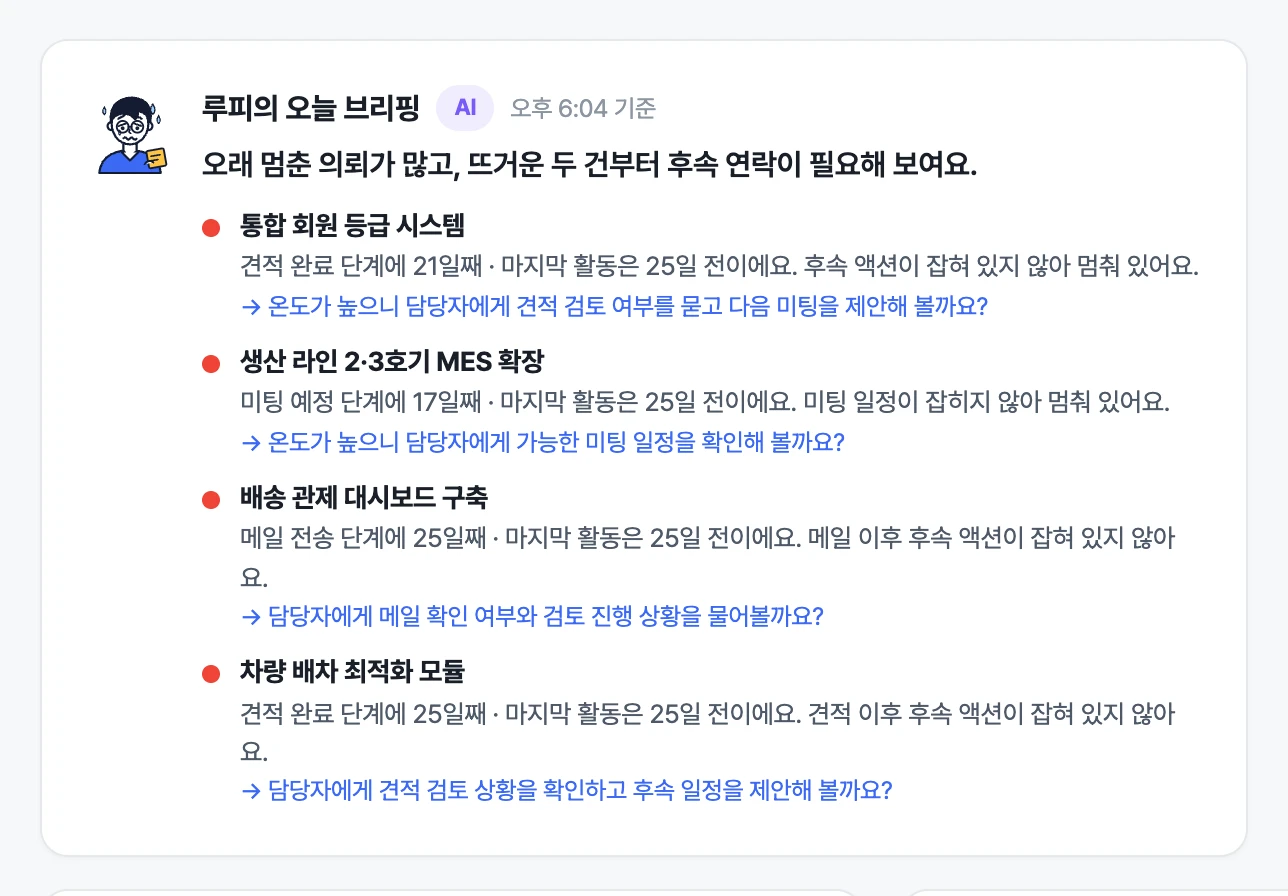
Lots of deals have stalled — the two hot ones look like they need a follow-up first.
When the week ends, the look-back is open, and Loopy organizes the decisions and to-dos from meeting notes. If there's a colleague you haven't talked to in a while, it suggests them for a coffee chat, and once you approve, it sends the invite for you.
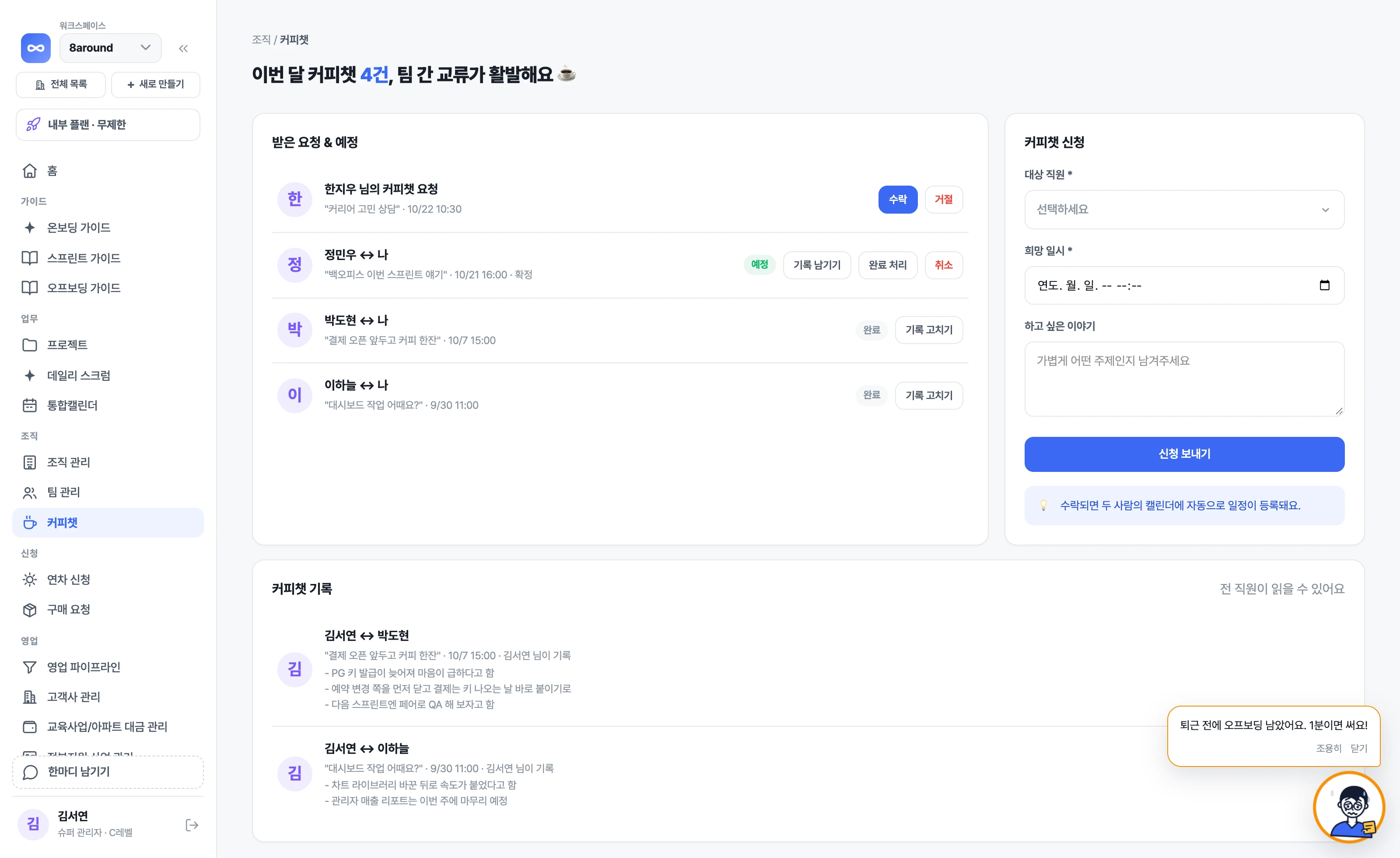
This week, it might be nice to chat with Chaewon Yoon and Sejin Oh for about 30 minutes!
Loopy's faces
Loopy sits on every project card. As risk signals pile up, its face changes — check the face before you open the report.
Happy
0 risk signals
“This week is going according to plan!”
Worried
1 risk signal
“Something's blocked. Who can help?”
Stern
2 risk signals
“Less work has started than planned. Time to fix it.”
Furious
3+ risk signals
“Blocked work, late starts, empty daily reports. All at once!”
Surprised
Milestone due tomorrow
“The QA deadline is tomorrow!”
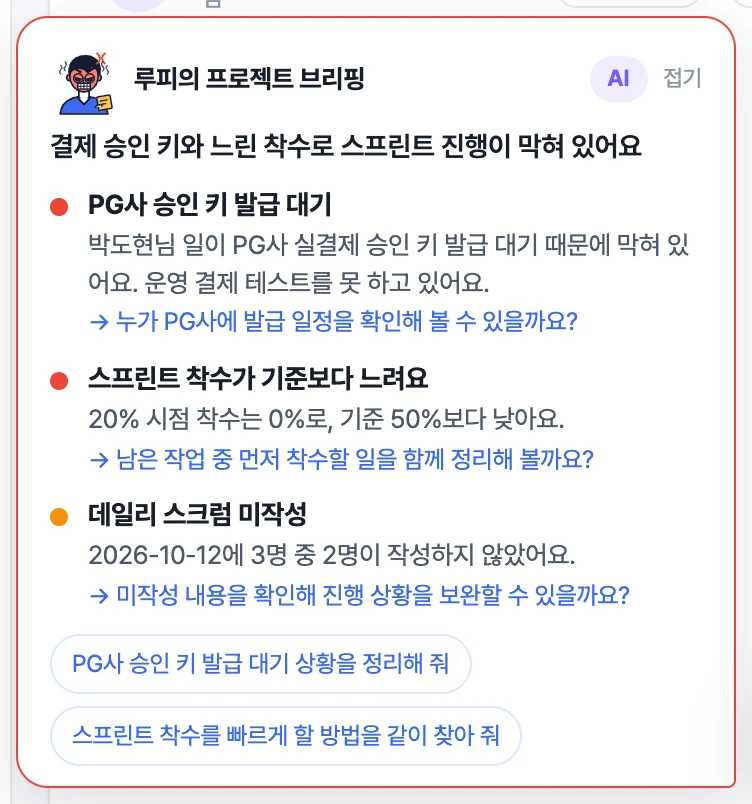
LOOPY
When three risk signals stack up, Loopy turns red. It tells you what stacked up, and who needs to do what to clear it.
Act before Loopy gets angry. The morning briefing flags those signals for you first.
Meet Loopy for freeBuilt for teams like these
Teams don't stall for lack of tools. They stall because no one looks every day and speaks up first.
01Teams running without a system
Tasks, weekly plans, daily reports and retros open ready to go, and Loopy flags gaps and blocked work every day.
See project management02Founders tracking sales and revenue in Excel
Deals move through stages, and revenue is recorded when you check off a payment. Loopy tells you how much is left to the goal.
See sales & revenue03Teams with no one to keep track
Loopy handles the daily follow-ups, and we help you set up how your team works.
See onboarding supportEverything's scattered… where do we even start?
Tasks,dailyreports,sales,revenue.Whenit'sallononeplatform,Loopycanreaditandkeepyouontrack.All in One.
Projects
Create a project and the six screens below are already set up. Even if you don't know how to run it, Loopy reads these screens every day and tells you what matters.
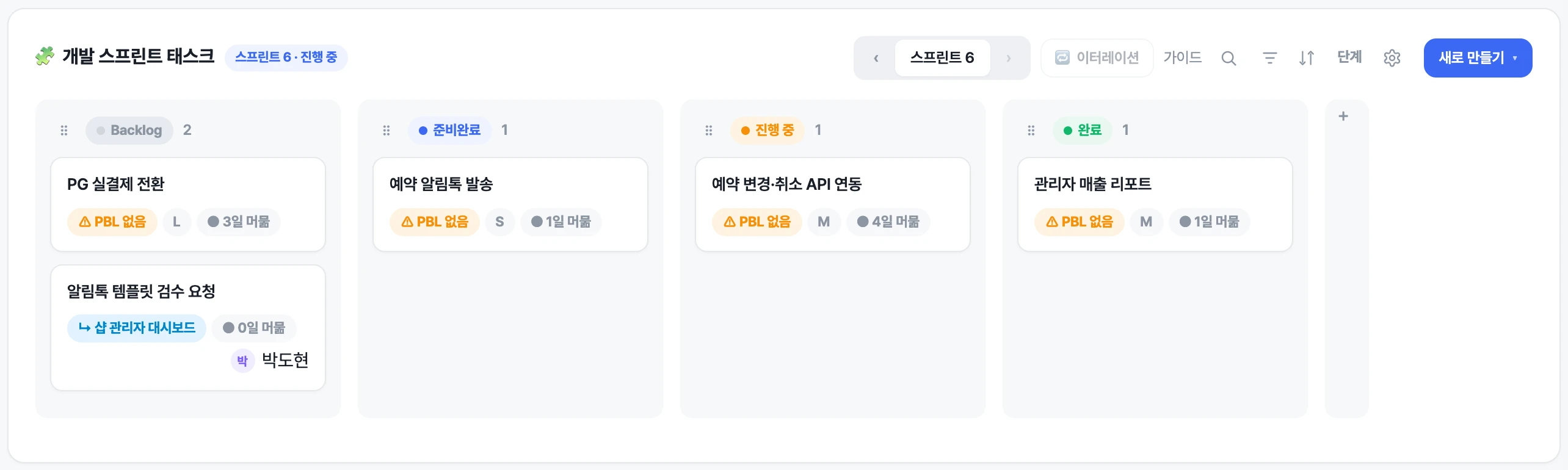
Everything you need to do in one place, by status.
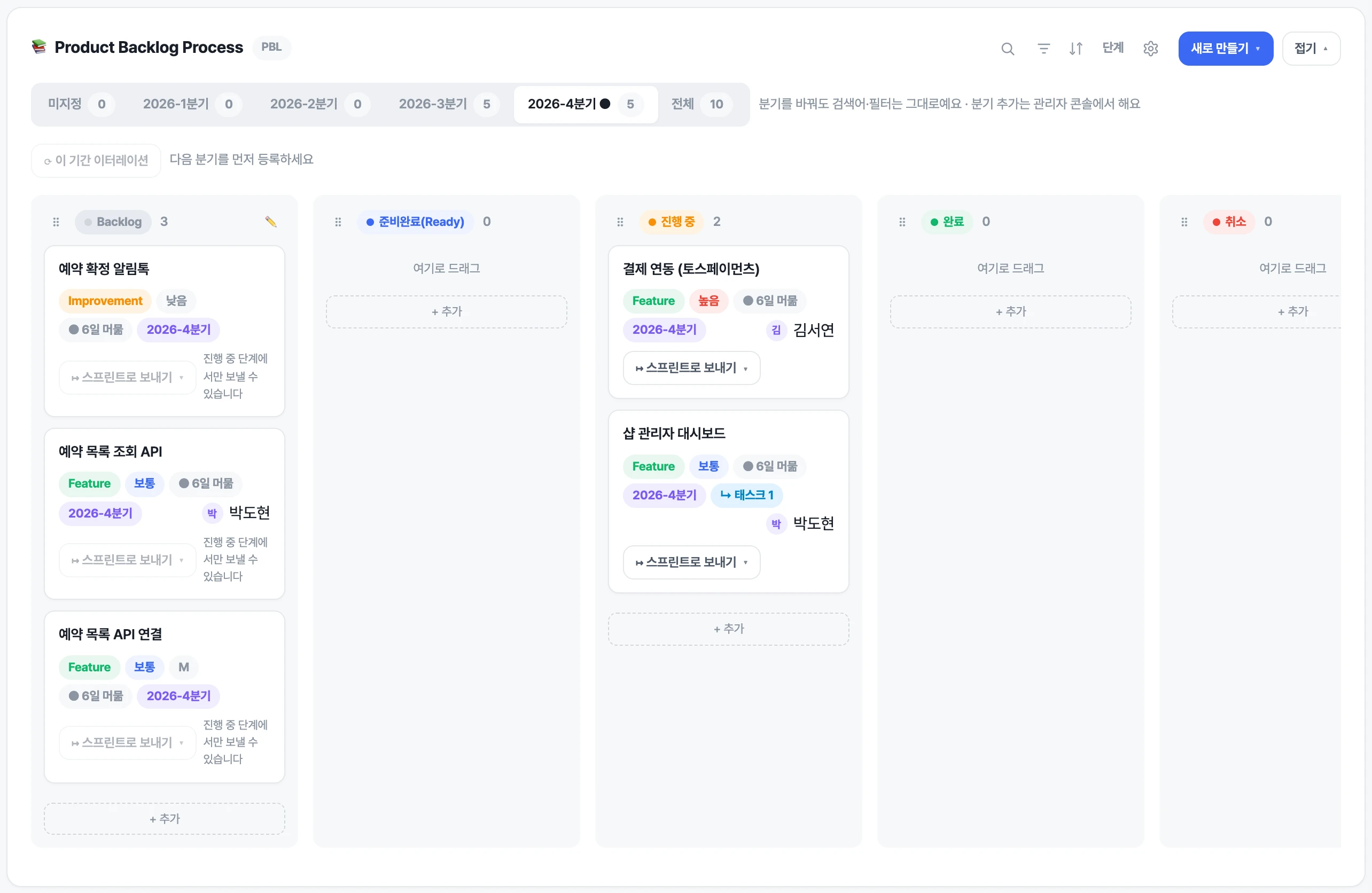
When someone moves a card, you see it instantly — no refresh.
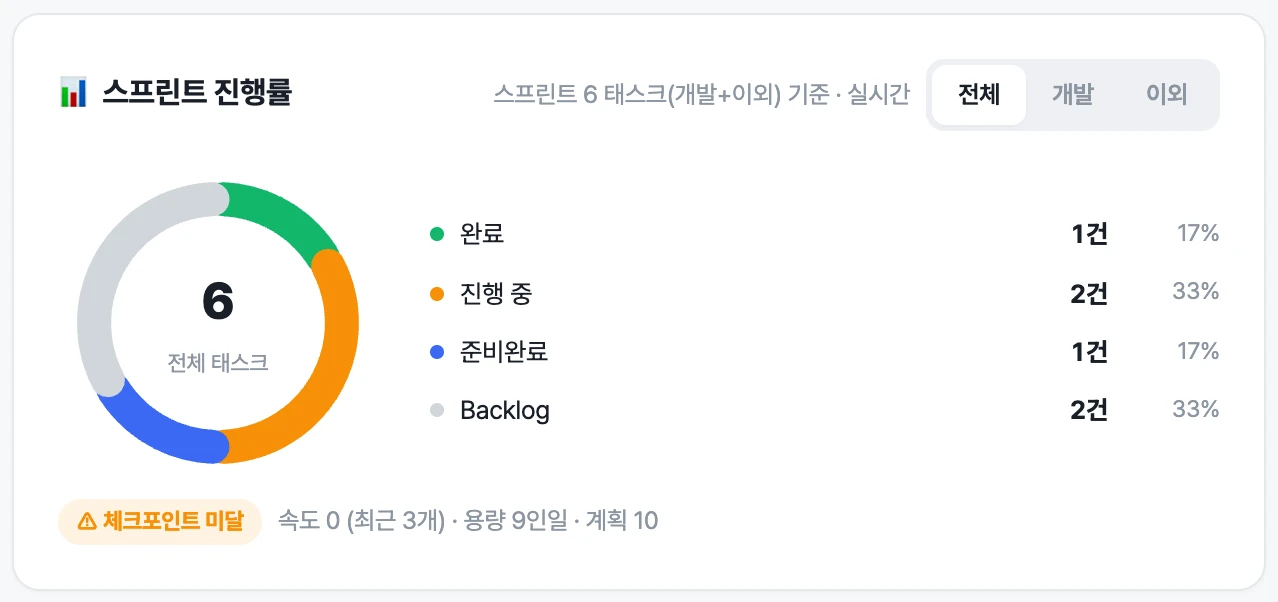
Created week by week to fit the project dates, with goals and progress side by side.
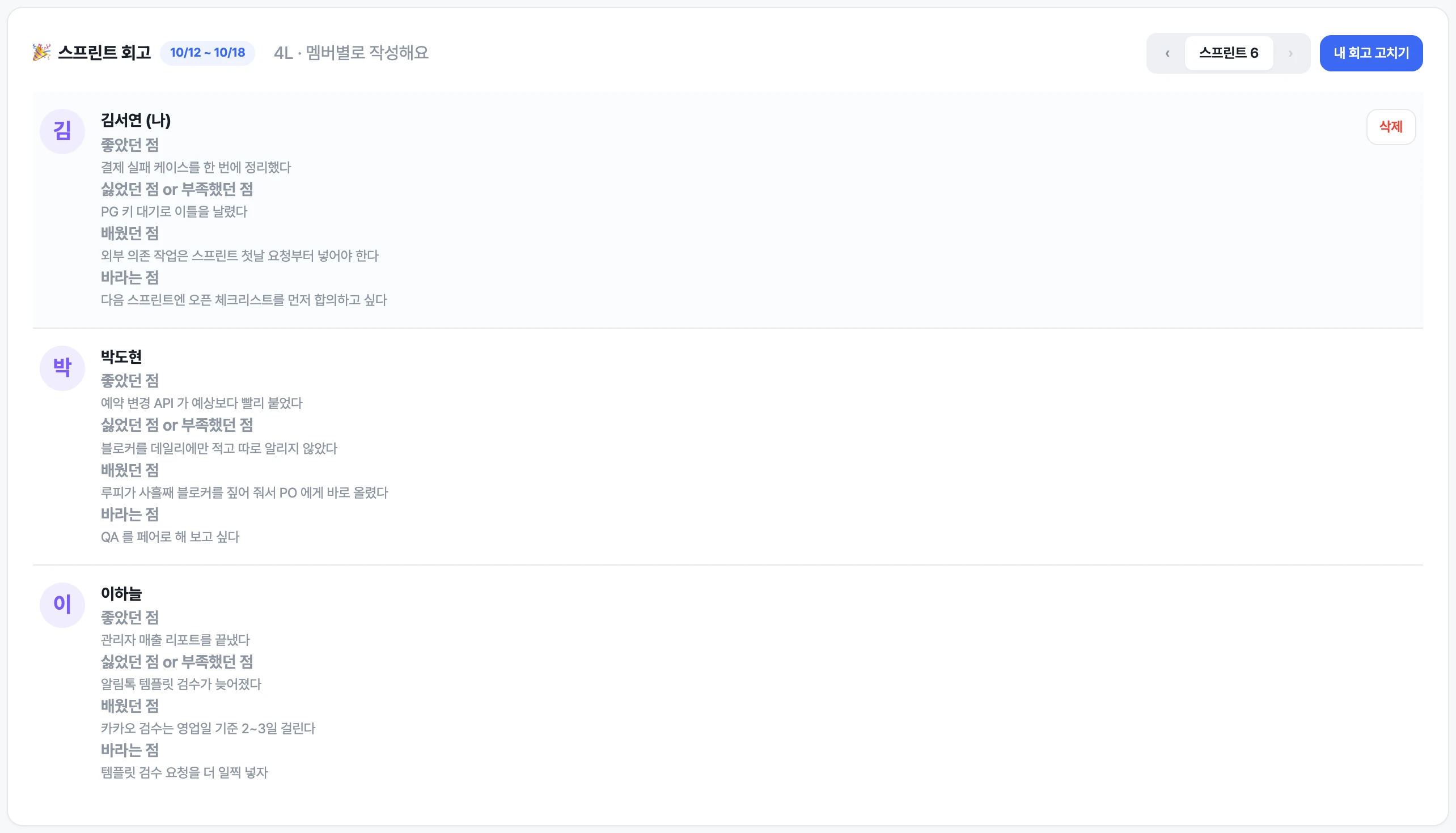
At the end of each week, everyone writes what went well and what didn't.
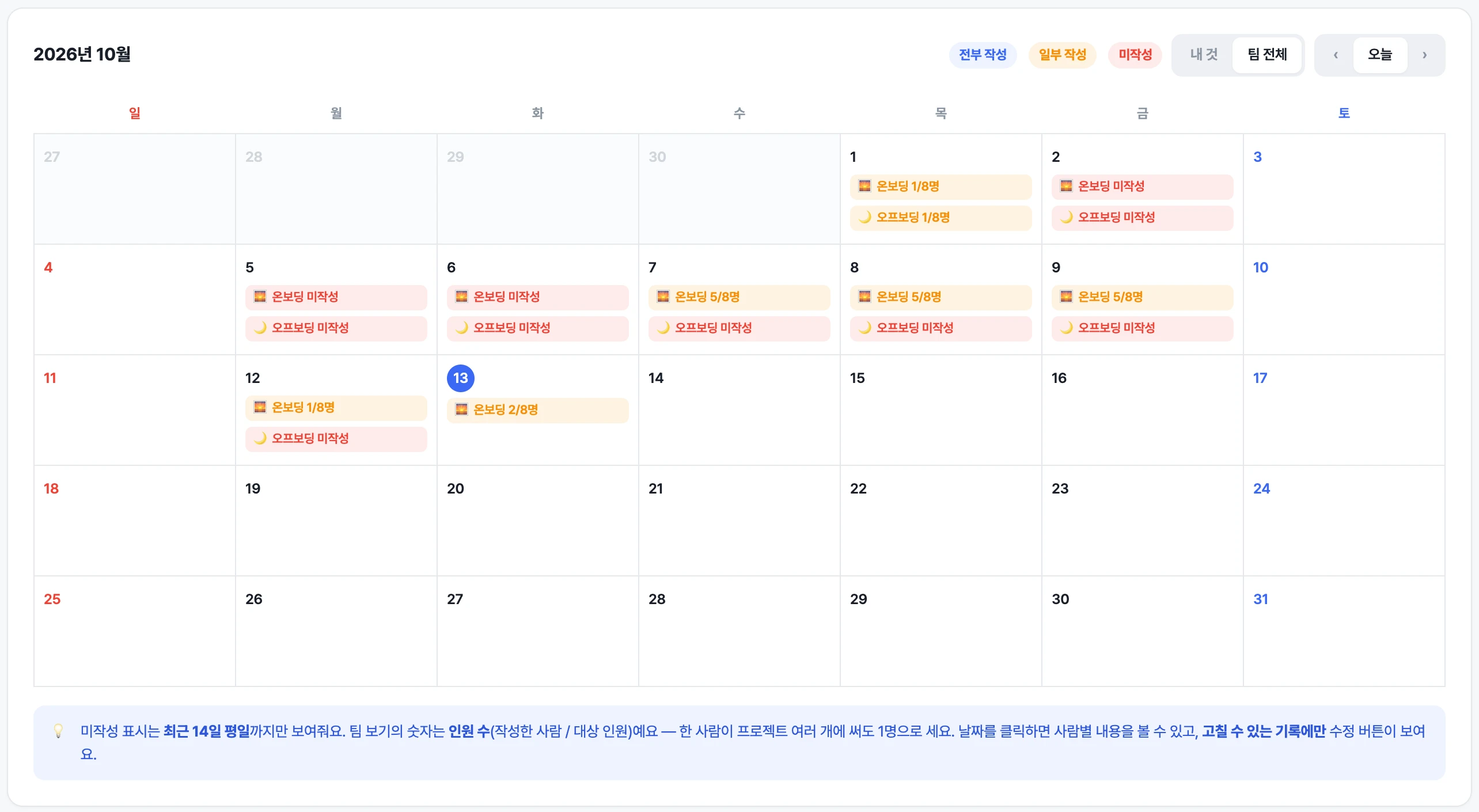
Plans in the morning, what got done before you leave. Skip it and Loopy reminds you.
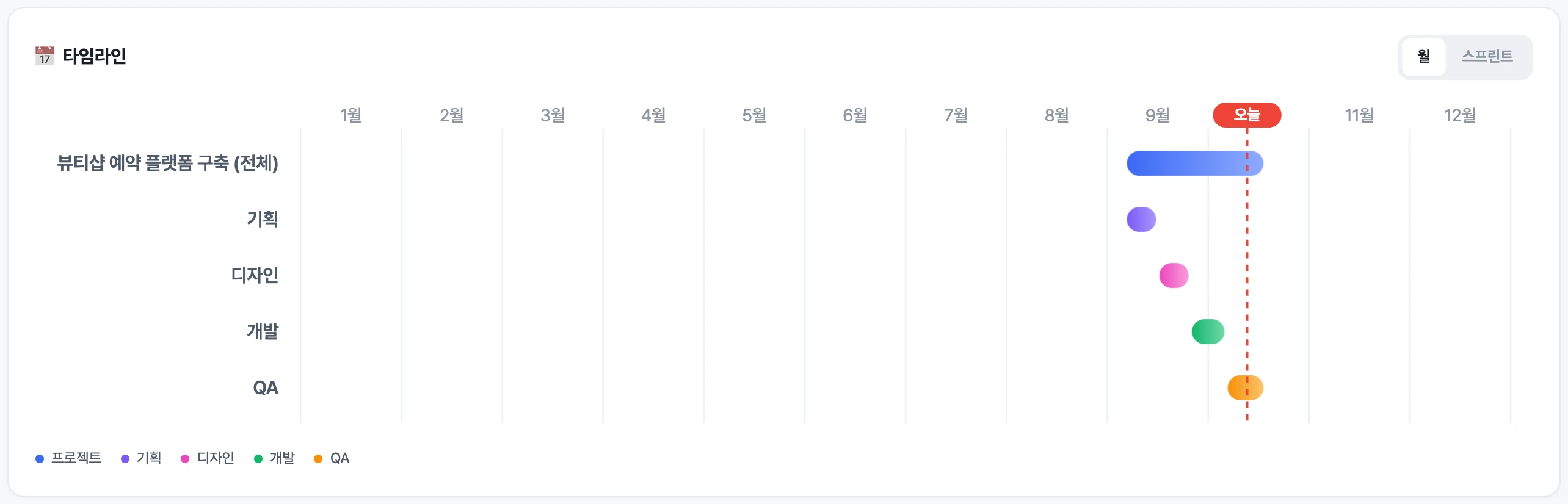
Planning, design, development and QA phases on one line.
Sales · Revenue
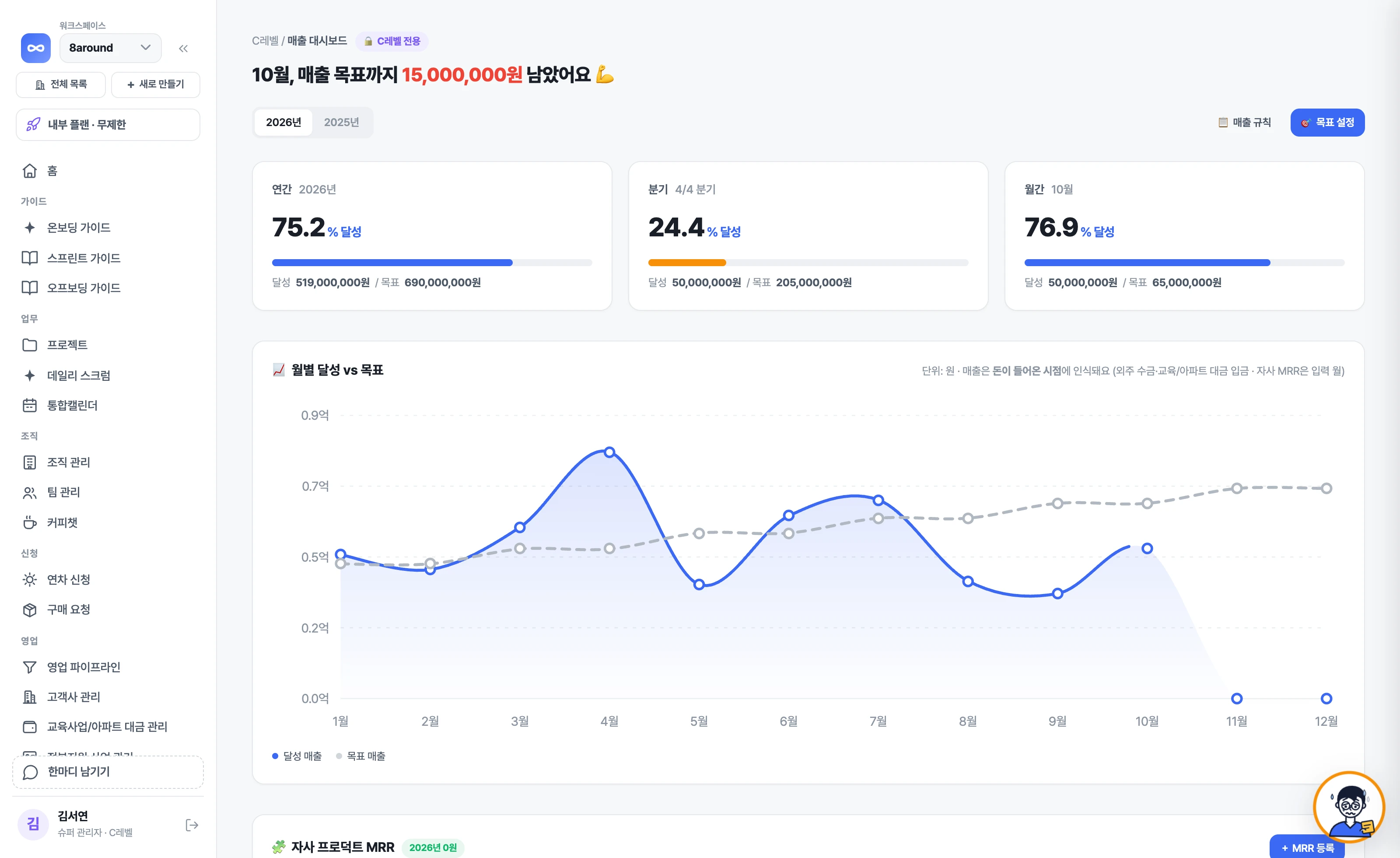
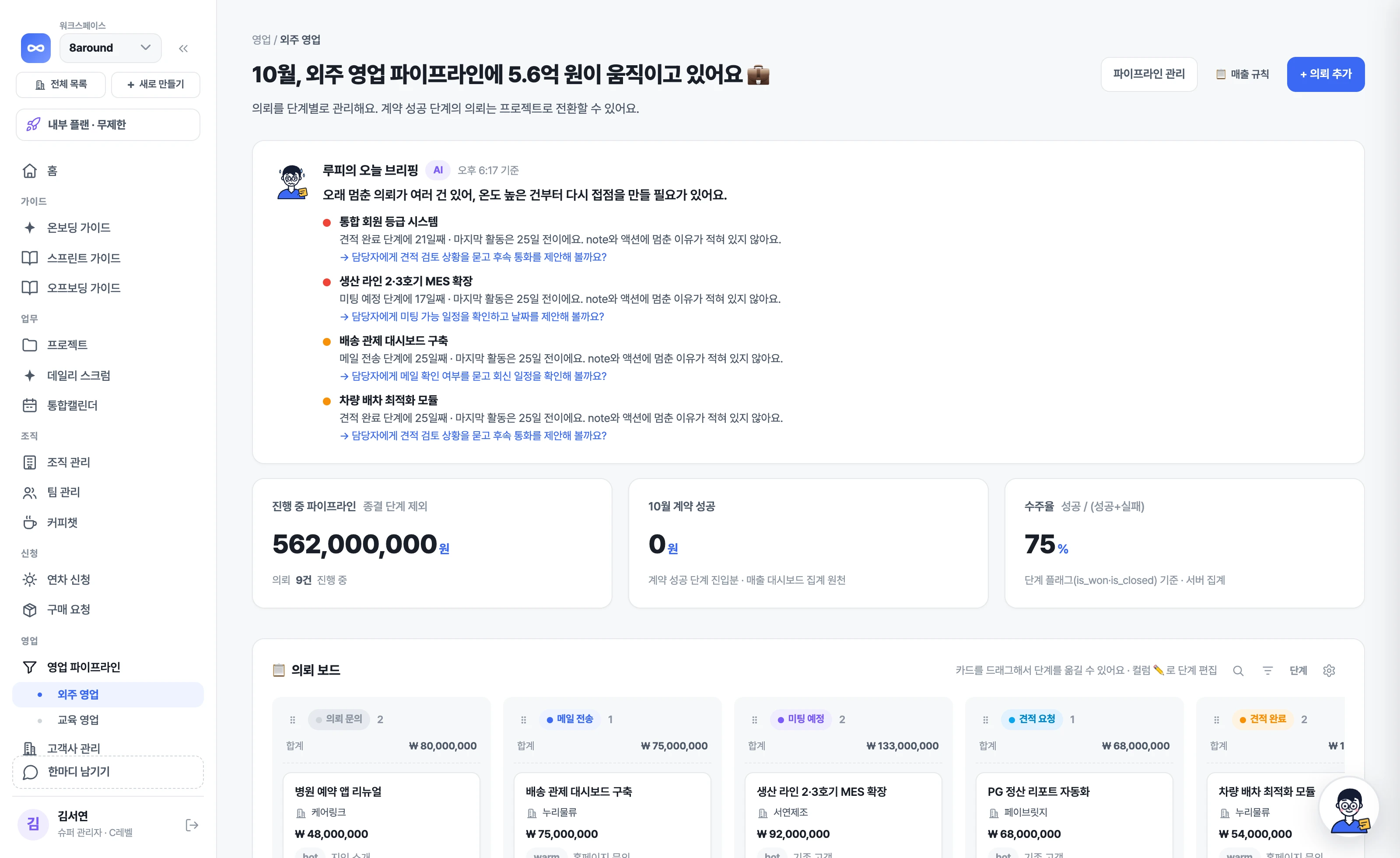
Requests become contracts, contracts get paid, payments become revenue. Loopy reads that flow and tells you first about deals that have stalled and how much is left to this month's goal.
See which stage each deal is at on a kanban board. At the top of the pipeline, Loopy flags deals that have sat in one stage too long and suggests what to do next.
Check off a contract payment and it counts as revenue for the month it was received. Every morning Loopy tells you how much is left to this month's and this year's goals, and when you set next month's goal it proposes one based on results and open deals.
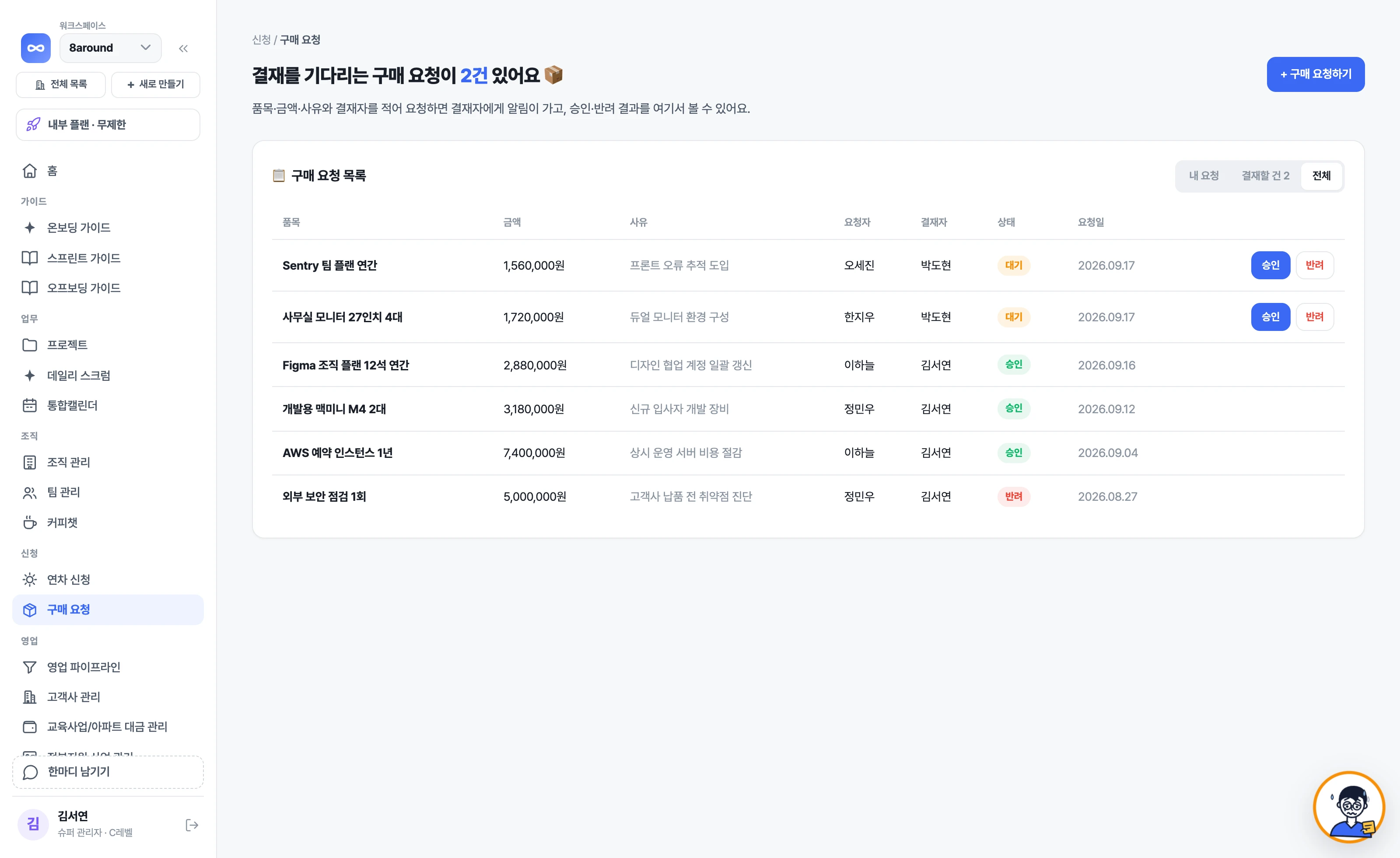
Enter the item, amount and reason, and send it to an approver. Approvals and rejections are kept on record.
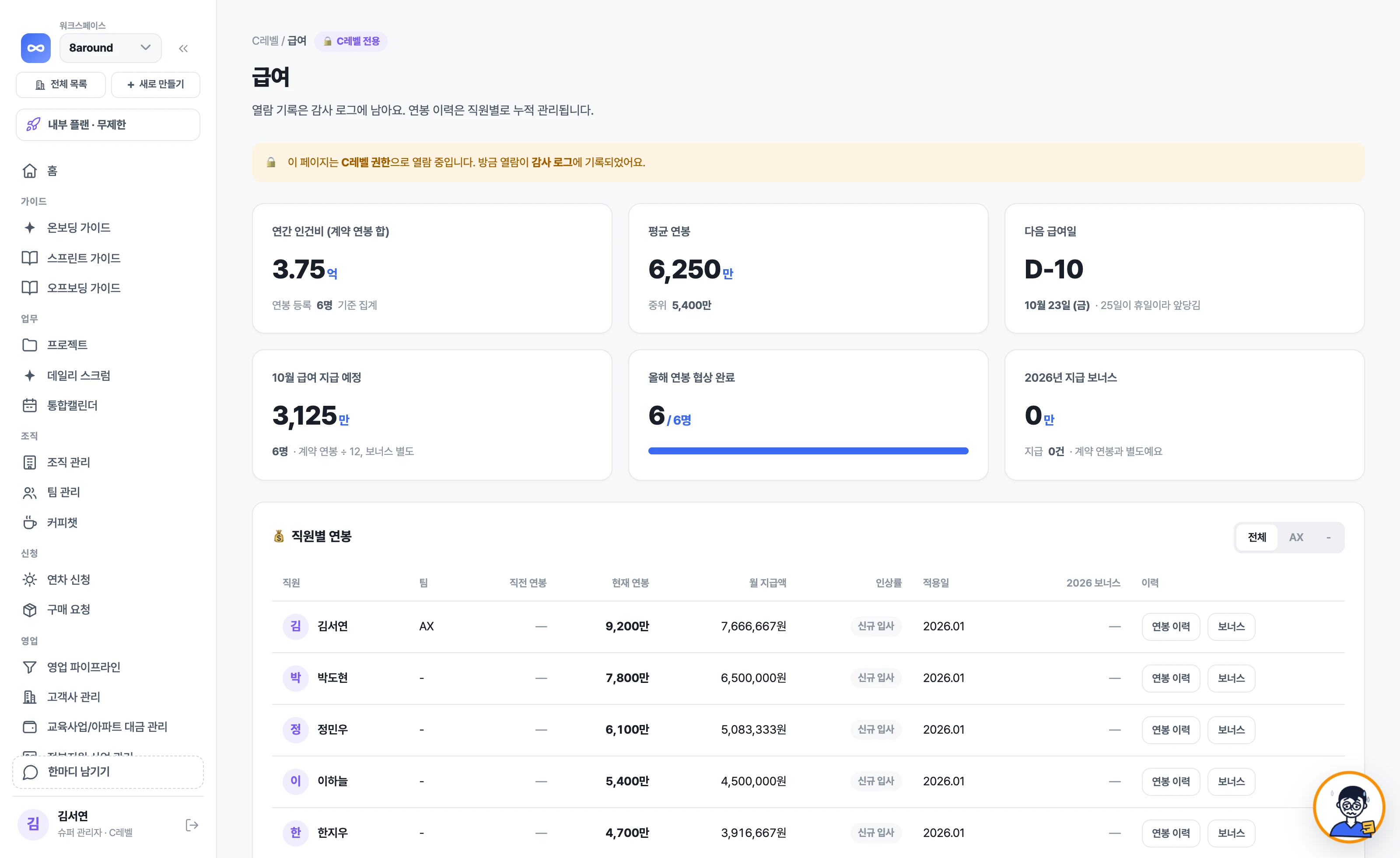
See salary history, the next payday and this month's expected payout. Visible to C-level only.
Side by side with Notion · Jira
This isn't about which tool is better. We describe how each of the three tools handles the same work, as written in each company's official documentation. Click a number to go to the source.
How schedules are planned
Turning on Sprints creates a sprints database and a timeline view, which you connect to a tasks database.1
You plan by moving work from the scrum board backlog into a sprint, then start and complete the sprint.56
Create a project and weekly plans are generated to fit its dates, with a task list and schedule opening alongside.
What you set up yourself at the start
You create database properties and views, or pick a template and change property names and types.23
An admin configures work types, fields, field configurations and workflows.78
The basic structure is already in place. You change stage names and input fields on screen, and we adapt it to your company's rules during onboarding.
Daily reports · Look-backs
You import the daily standup template from the template gallery.4
You install standup and retrospective apps from the Atlassian Marketplace.9
Daily reports and look-backs are built-in screens. Loopy reminds anyone who hasn't written theirs.
What AI does
The Business plan includes Notion Agent, AI Meeting Notes and Enterprise Search; Free and Plus use them within trial limits.10
Rovo handles work summaries, status update drafts, creating and splitting work, search and chat, and agents. Included in Standard and above.1112
Loopy sends weekday-morning risk checks and daily report reminders first, and shows status with its face. Anything that changes data goes through propose → approve. Included in every plan (monthly usage limit).
Sales · Revenue · HR
You set up sales management with a CRM template from the template gallery or with databases.3
Provides sales pipeline and lead management templates.13
Sales pipeline, revenue goals, annual leave and org management are built-in menus. Loopy tells you about stalled deals and how much is left to the goal.
Pricing structure
Monthly price per member (Free, Plus, Business, Enterprise). There is a free plan.10
Price per user (Free, Standard, Premium, Enterprise). The free plan covers up to 10 users.14
Priced per company. Every plan includes unlimited users, and there is a free plan (VAT included).
Data location · Korean
Choosing a data residency region is available on the Enterprise plan, and Seoul is one of the options. Supports a Korean interface.1516
Data residency regions (including South Korea) can be chosen on Standard and above. Supports a Korean interface.1718
Data is separated per company (workspace), and on-premise installation is available on consultation. Screens, guides and support are all in Korean.
If your main work is freely formatting documents and building up knowledge, Notion is the right fit. Sprintingo is not a document editing tool.
If you're a development organization that designs its own work types, workflows and dev tool integrations, Jira is the right fit.
If plugging in many external services as apps matters to you, Jira with its marketplace is the right fit. Sprintingo instead builds and adds the screens you need after a consultation.
Notion is a trademark of Notion Labs, Inc.; Jira, Rovo and Atlassian are trademarks of Atlassian. Each product's plans and features may change; the above reflects the date checked. If anything is wrong, let us know at hello@8around.kr and we'll fix it right away.
By industry
Every industry opens different screens every day. We've laid out five cases based on the actual product screens — open the one closest to what you do.
Weekly progress and installment payments for concurrent projects, in one account
Stages and payments for concurrent client jobs, on one screen
Course sales, installment payments and instructor schedules in one account
Scrum with no setup — backlog, weeks, board and retro come together
Progress and billing for many short jobs, tracked job by job
Tell us what you do and we'll show you which screens fit.
Onboarding support
We're with you from opening a project to closing it. We also run AX training on putting AI to work in your actual workflow, and the app includes guides that walk you through the real screens.
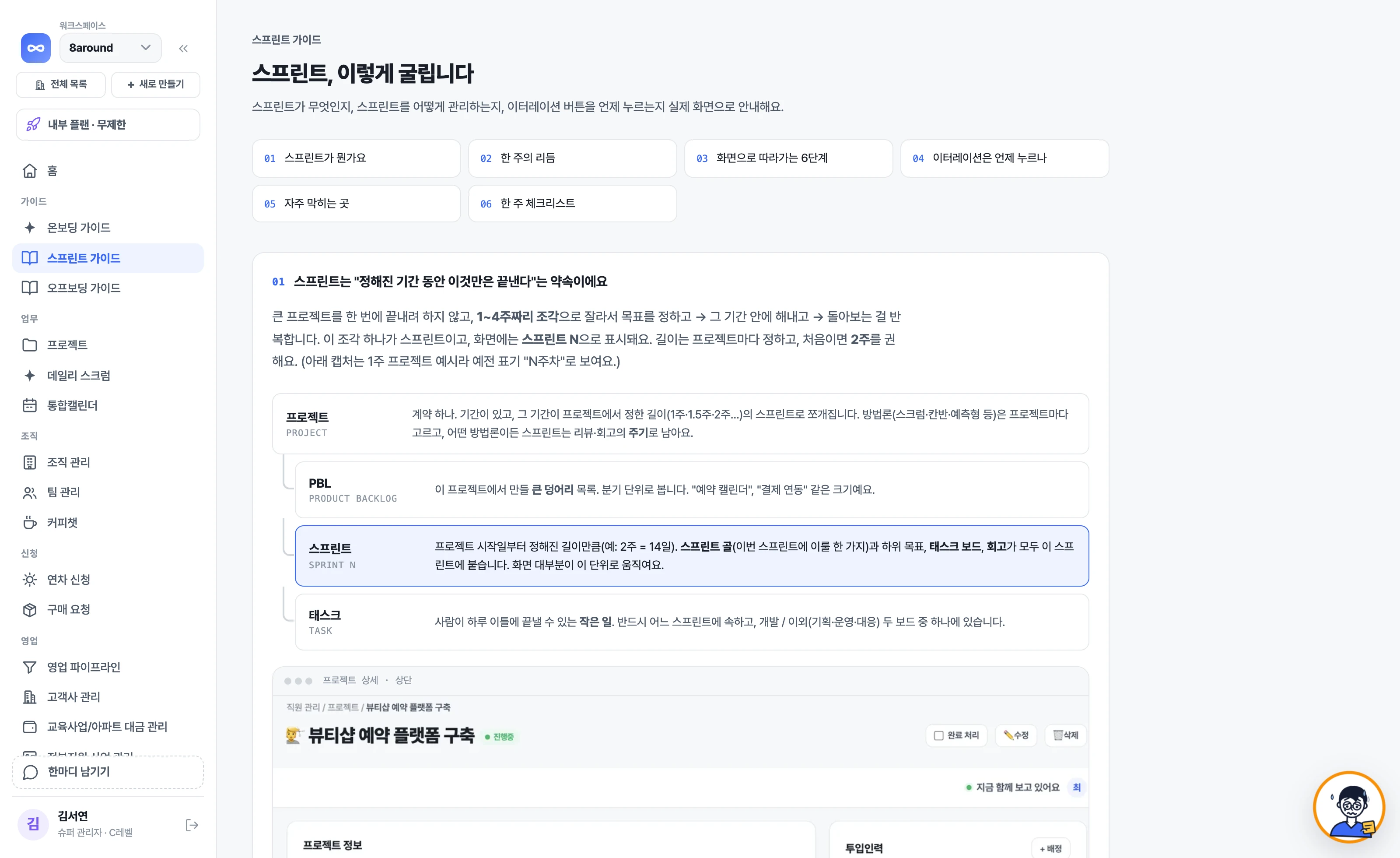
We design roles, rhythm and meeting structure to fit your team.
We run a week together on your team's real project.
Your team learns how to plug AI into the workflow by using it themselves.
For a few weeks after rollout, we watch operations with you and clear the sticking points.
We run it with you
We build Sprintingo as if we're running your company alongside you. Write a single line in 'Leave a note' at the bottom left of the app, and the 8around team will contact you directly and ship the features you need quickly.
Something odd, a feature you wish you had, even something you liked. Leave it right where it came to mind while you work.
Your note goes straight to the 8around team. We call you to ask what you need and sort it out.
We keep you posted step by step, from received to shipped. Screens tailored to how your company works get added the same way.
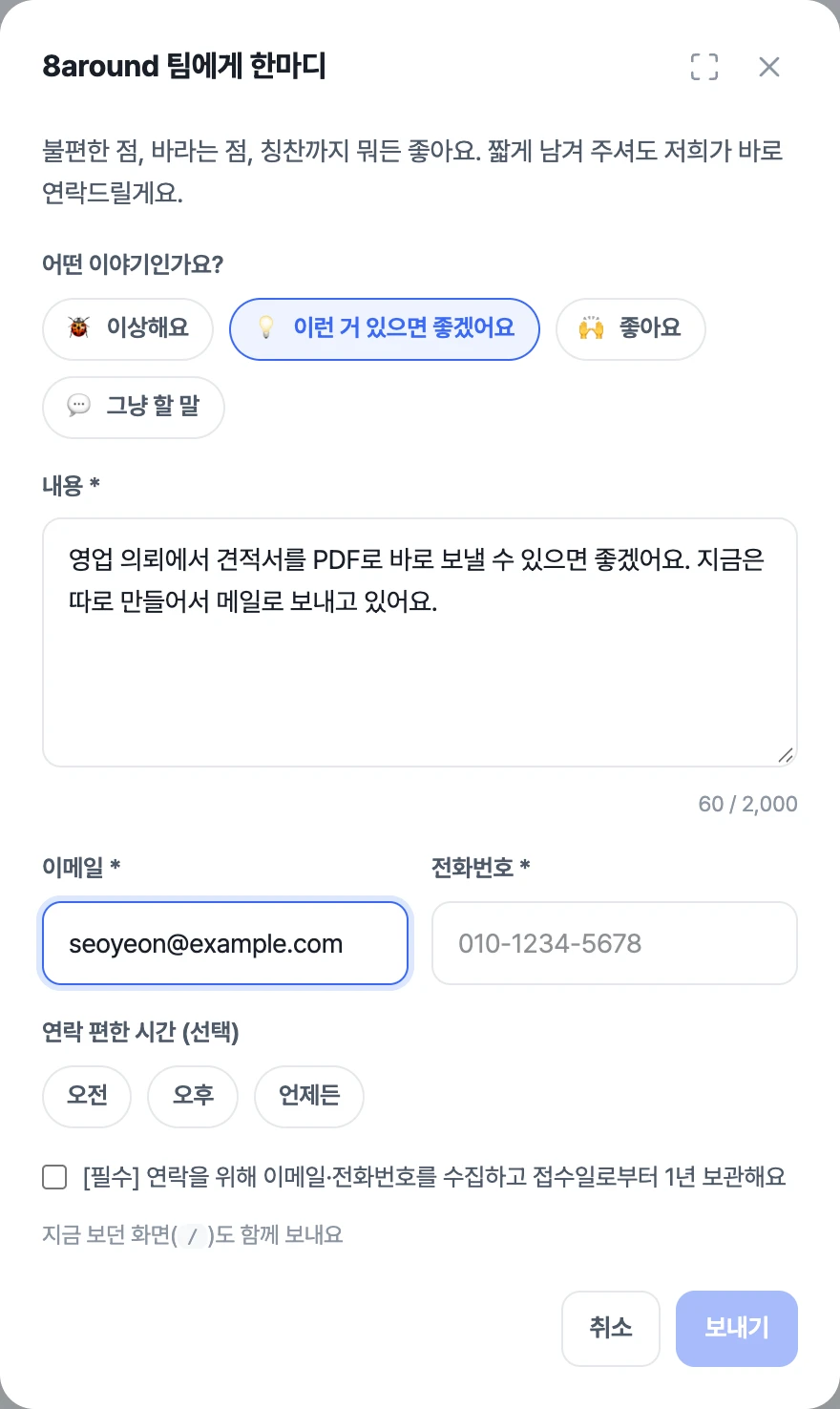
Something bugging you? Don't tell me — use 'Leave a note'! The builders see it right away.
HR · Operations
Org chart, job titles, leave approvals, permissions. All in the same account you use for projects and revenue.
Manage the company › team › employee hierarchy and job titles. Adjust each employee's annual leave here too.
Pick the approver when you submit a request. Every request records who approved it and when.
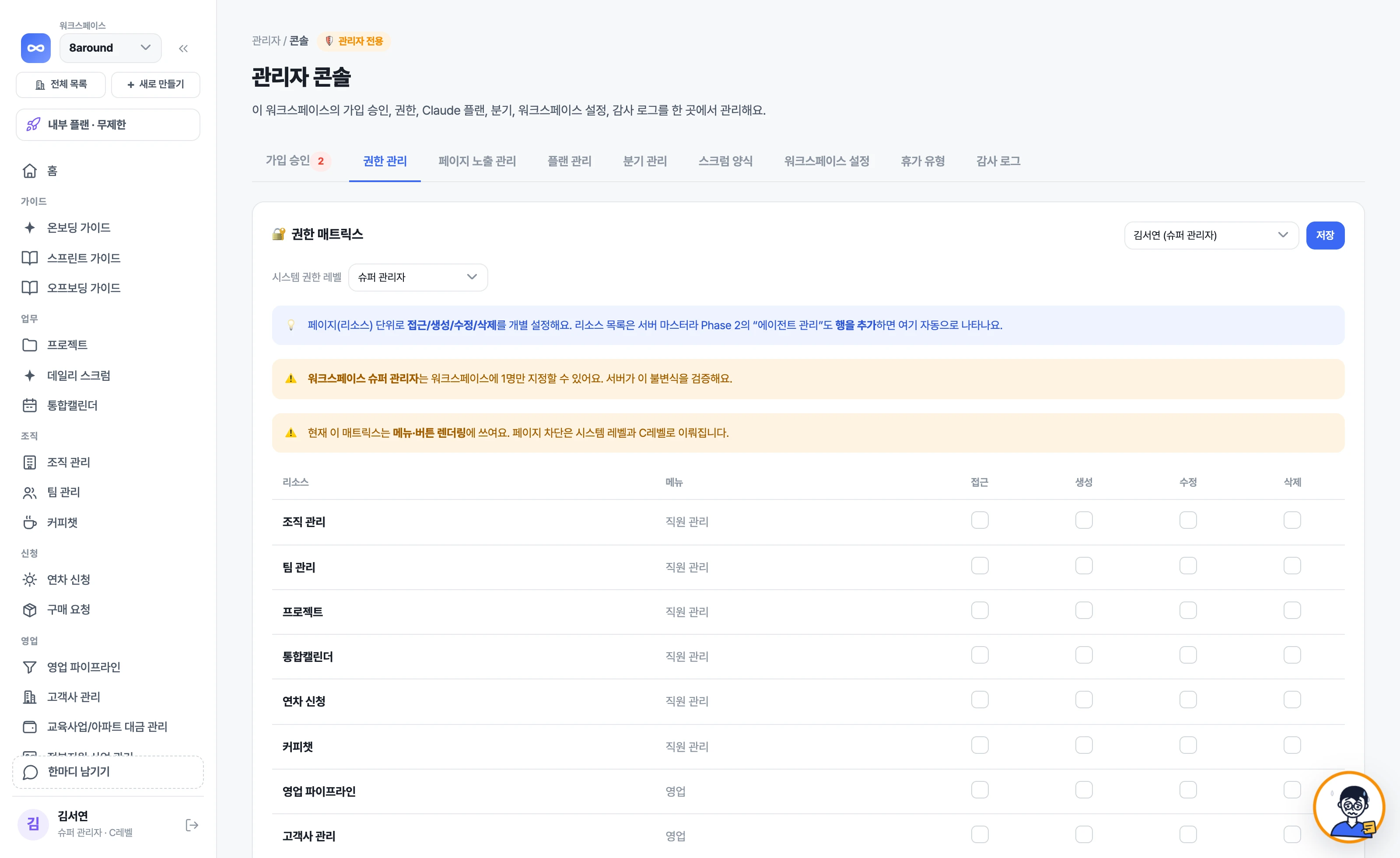
Sign-up approvals, permission matrix, plan, company settings and audit logs on one screen. Permissions are set per screen (resource), with view, create, edit and delete toggled separately.
Pricing
Every plan includes unlimited users. You pay per company, and every plan gets all features and AI Loopy. You can start for free.
For solo users or small teams trying it out first
Free
Free forever
For teams moving projects and team operations onto one platform
79,200KRW / mo
For companies that see projects, sales and revenue in one account
143,200KRW / mo
For running several companies or business units together
207,200KRW / mo
Guides
What still ends up done by hand in the tools you use, and how to actually run Scrum for a week. Worth reading before you even look at the product.
Jira has you design workflows and fields yourself, and Notion has you pick templates or build everything one by one. Everyone knows the name Scrum, but not the steps. Here's why these are the same problem, and how to choose a tool that comes already set up.
How many days to make a sprint, when to pull from the backlog, how to carry over unfinished work. The parts everyone knows by name but no one explains, laid out in order from Monday to Friday.
What handing project management to AI actually means. From progress tracking and spotting projects that are falling behind to lining up next steps and planning staffing — what's possible and what it depends on.
Tell us how you work today, and we'll show you on your company's own screens what Loopy will keep track of every day.